> For the complete documentation index, see [llms.txt](https://wishlist.nativeappco.com/llms.txt). Markdown versions of documentation pages are available by appending `.md` to page URLs; this page is available as [Markdown](https://wishlist.nativeappco.com/customisation/custom-styling/drawers.md).
# Drawers
## **Custom Styling Settings**
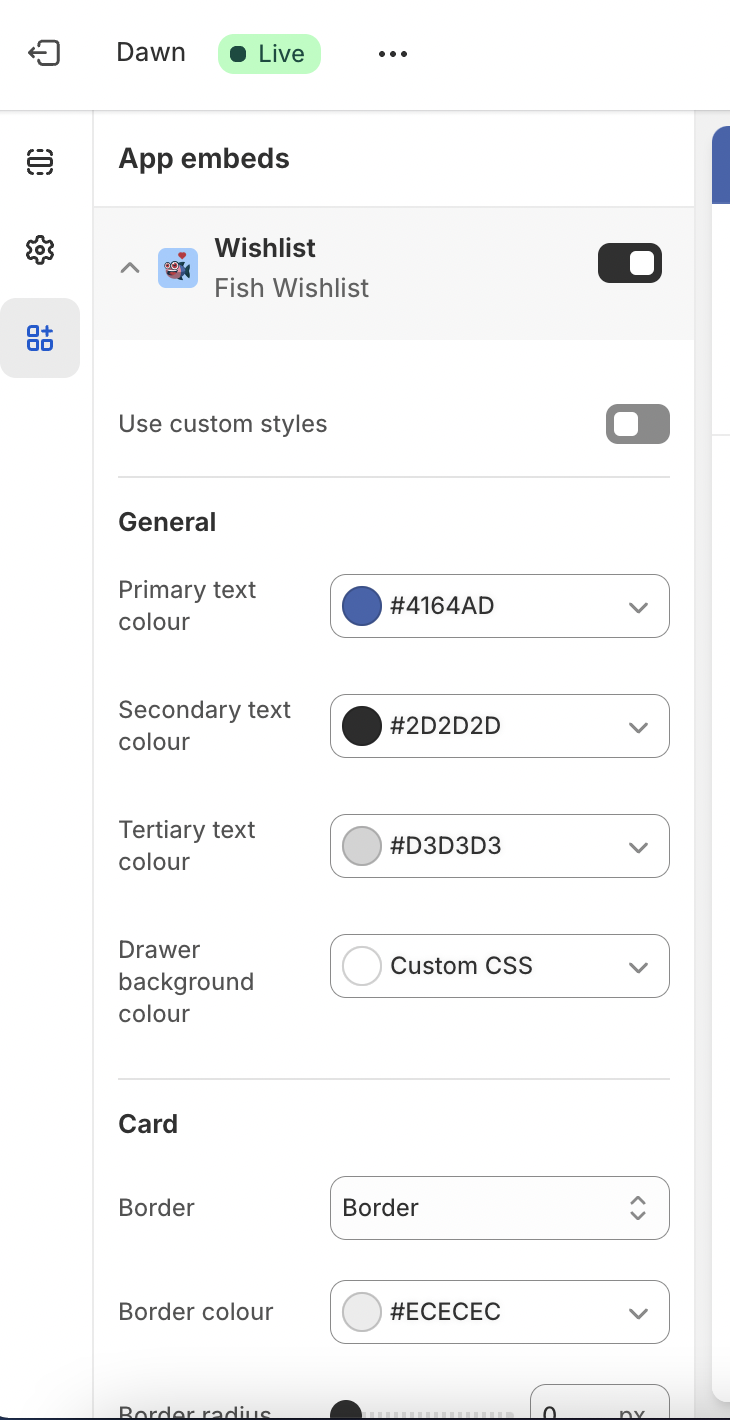
Within the theme editor, you can apply custom styles to our wishlist drawers via our '**Wishlist**' app embed settings.
{% tabs %}
{% tab title="General" %}
**Primary text colour:** Set colour code for the primary text colour which will apply in our wishlist drawers.
**Secondary text colour:** Set colour code for the secondary text colour which will apply in our wishlist drawers.
**Tertiary text colour:** Set colour code for the tertiary text colour which will apply in our wishlist drawers.
**Drawer background colour:** Set colour code for the background colour which will apply to our wishlist drawers.
{% endtab %}
{% tab title="Card" %}
**Border:** Available dropdown options:
* No border - no border is shown around the card.
* Border - full border is shown around each card
* Bottom border only - bottom border is shown below each card
*Note - borders are only show when multiple wishlists enabled*
**Border colour:** Set colour code for the border that will display around each wishlist card in our wishlist drawer.
**Border radius:** Set radius of the borders shown around each wishlist card
**Background:** Set colour code for the background colour which will apply to each wishlist card.
{% endtab %}
{% tab title="Buttons" %}
**Button font size:** Controls font size of text within buttons
**Vertical padding:** Controls top/bottom padding within buttons
**Horizontal padding:** Controls left/right padding within buttons
**Border radius:** Controls border radius of buttons
{% endtab %}
{% tab title="Button Primary" %}
**Font colour:**
**Background:**
**Border colour:**
**Font colour hover:**
**Background colour hover:**
**Border colour hover:**
{% endtab %}
{% tab title="Button Secondary" %}
Font colour:
Background:
Border colour:
Font colour hover:
Background colour hover:
Border colour hover:
{% endtab %}
{% endtabs %}
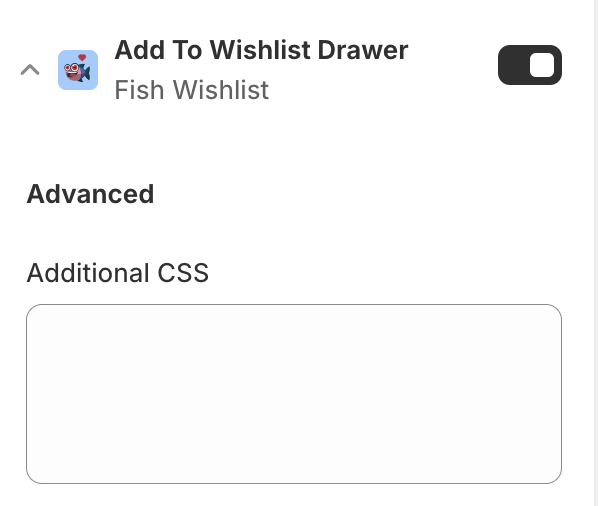
## **Custom CSS**
Within each section you can add Additional CSS to tweak the appearance of your wishlist functionality.